01 Capture
Your words are enough.
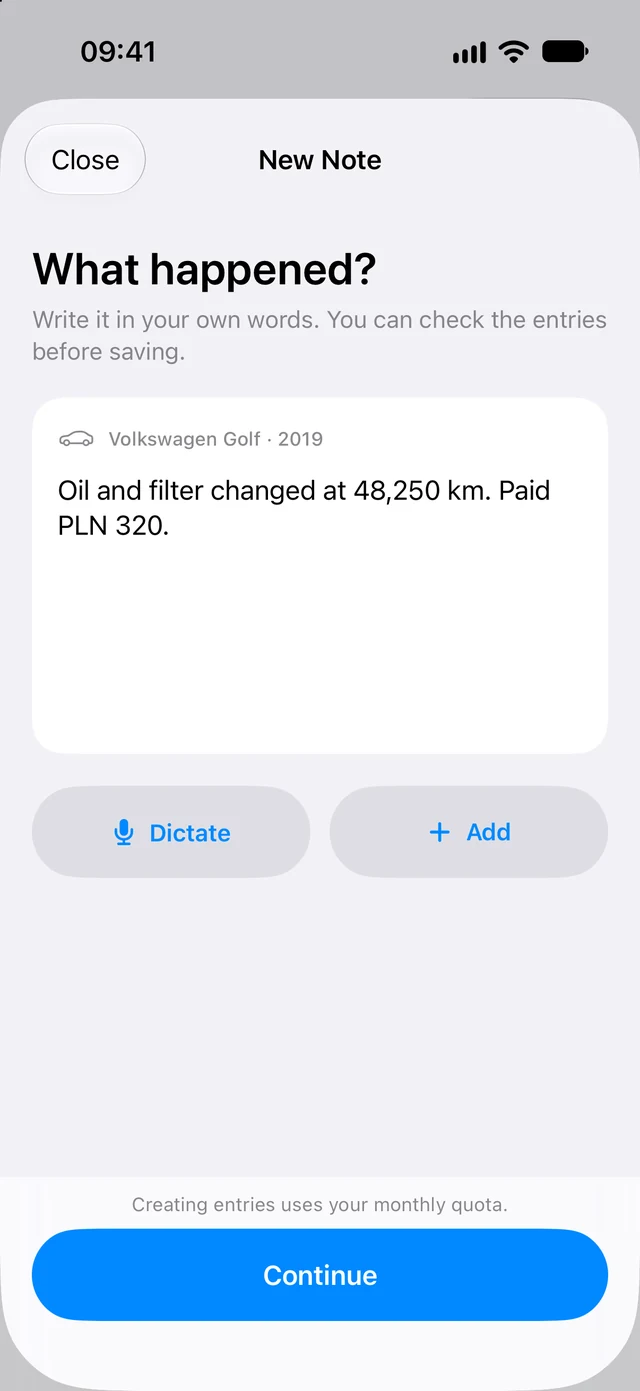
“Oil and filter change at 48,250 km. Paid PLN 320.” Add a photo when there's more to keep.
 Odomera
Get Odomera
Your car journal for iPhone
The oil change. The fuel stop. That noise you meant to check. Keep it all in one place, in your own words.
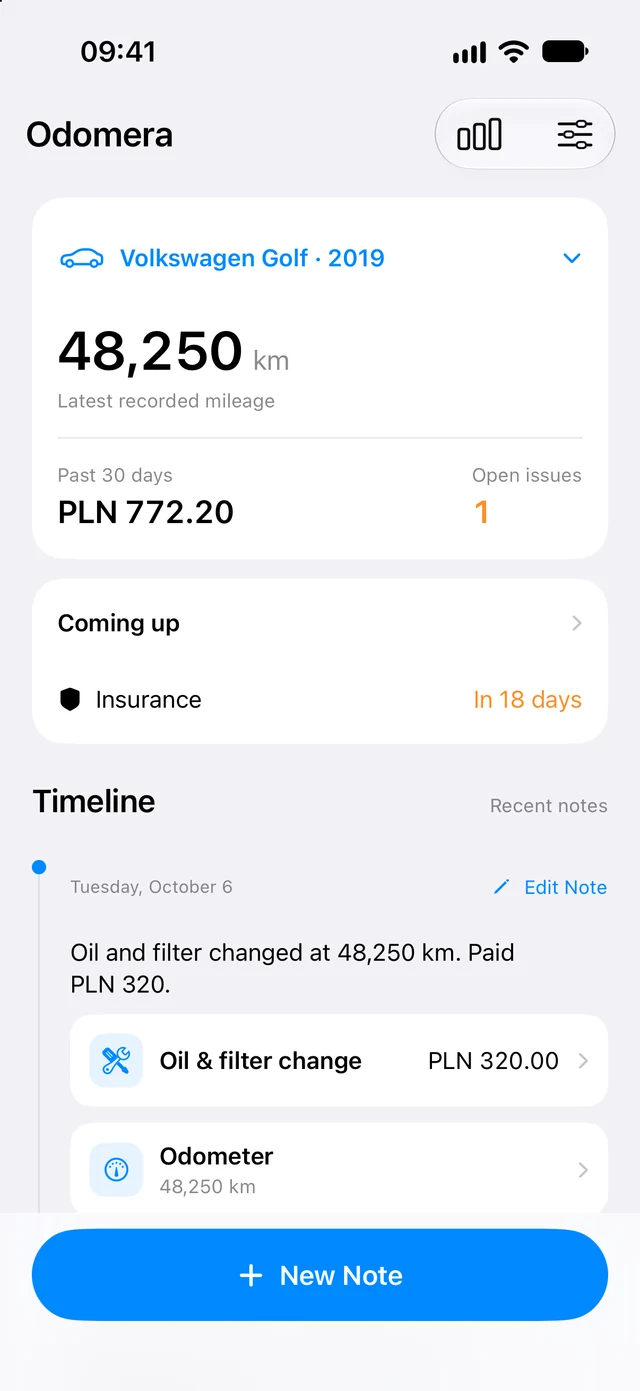
A little note goes a long way
Write a note or dictate it. Odomera turns it into entries you can check, edit, and save.
01 Capture
“Oil and filter change at 48,250 km. Paid PLN 320.” Add a photo when there's more to keep.
02 Review
Service, cost, and mileage in their own entries. Check the details before they join your journal.
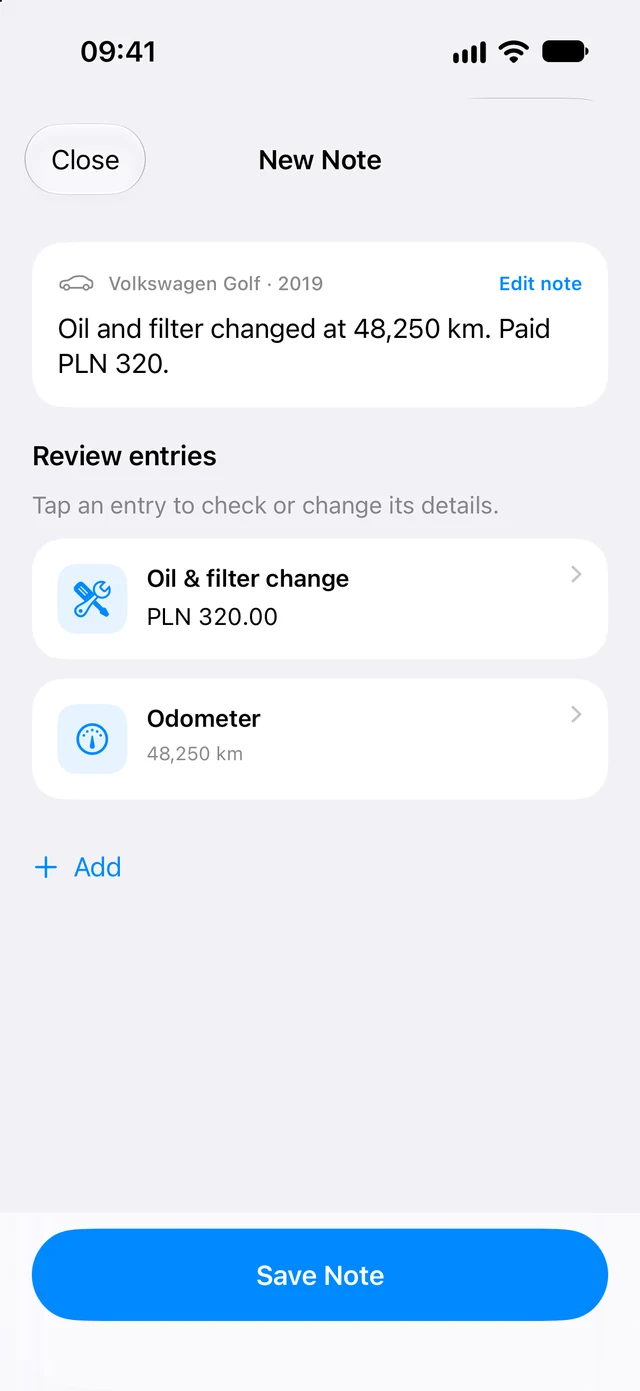
You have the final say. Edit an entry, add one yourself, or keep a photo. Nothing joins your history until you save.
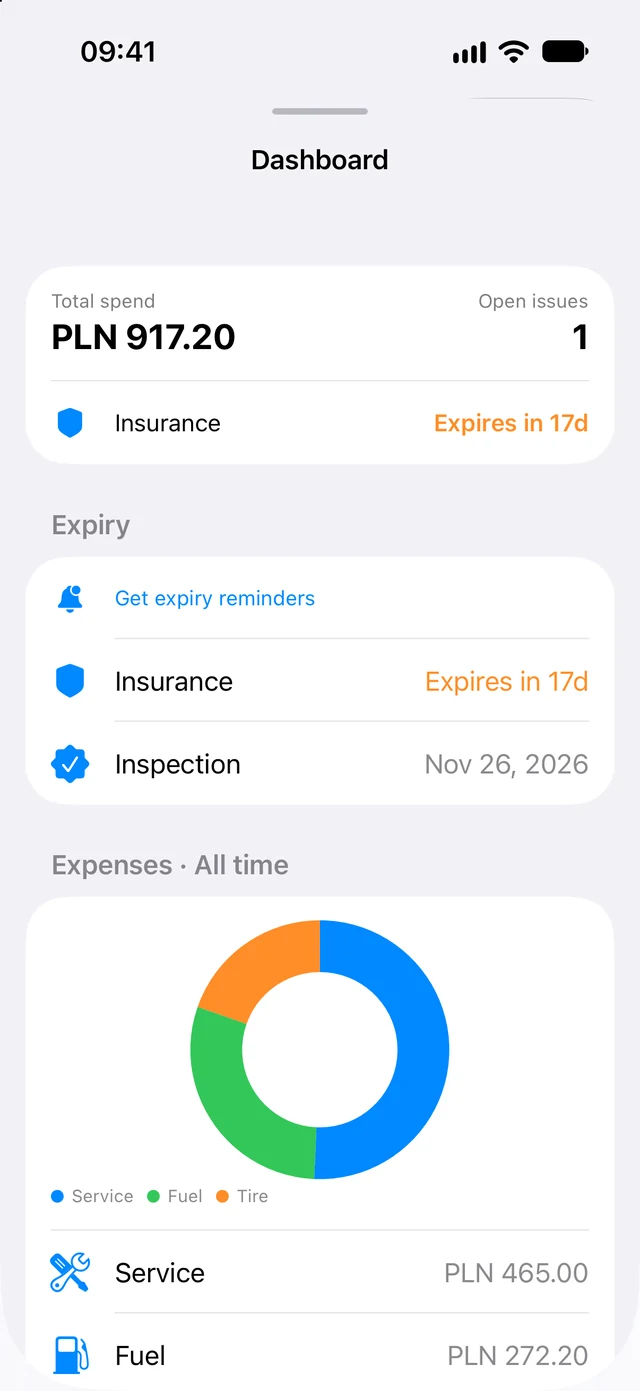
See the bigger picture
Keep the costs alongside the work. See what you've spent on service, fuel, and everything in between.
The receipt, the repair, and the original note stay together.
A dedicated odometer entry keeps each note's reading clear.
Keep insurance and inspection expiry dates in view.
From noticed to sorted
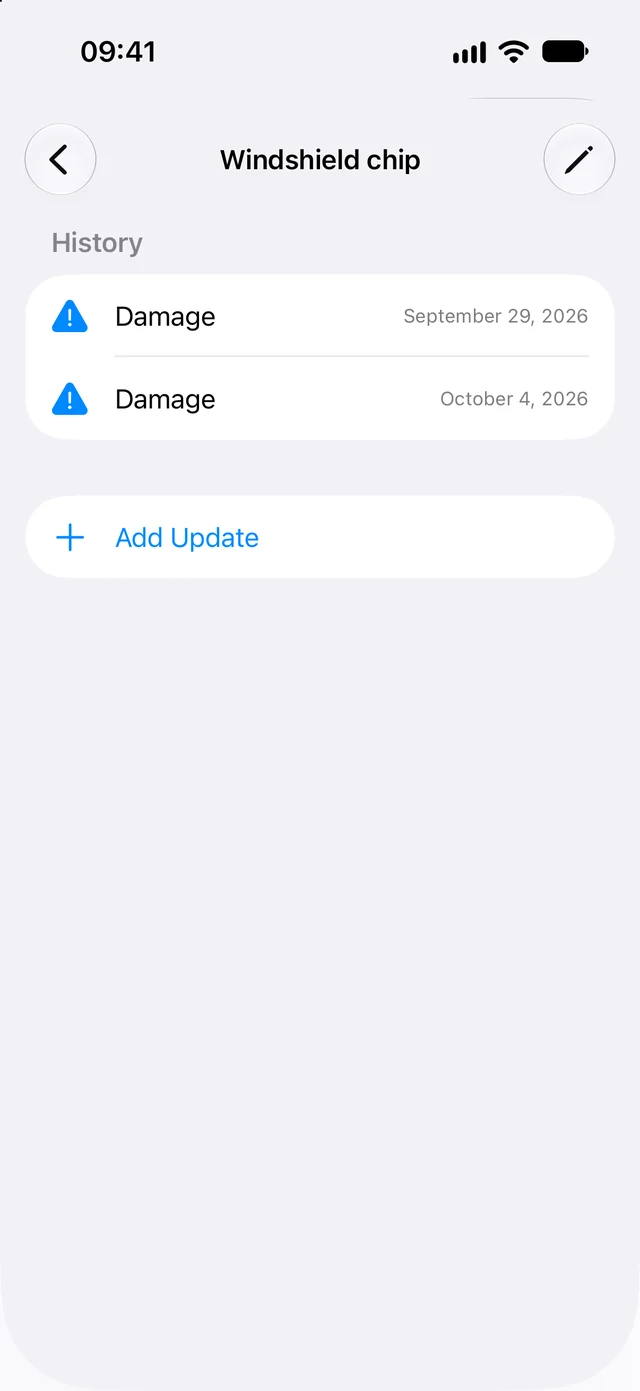
A chip in the windshield. A new rattle. Keep each issue and its follow-up in one history, so you can see what's still open and what you've already sorted.
Start your car's story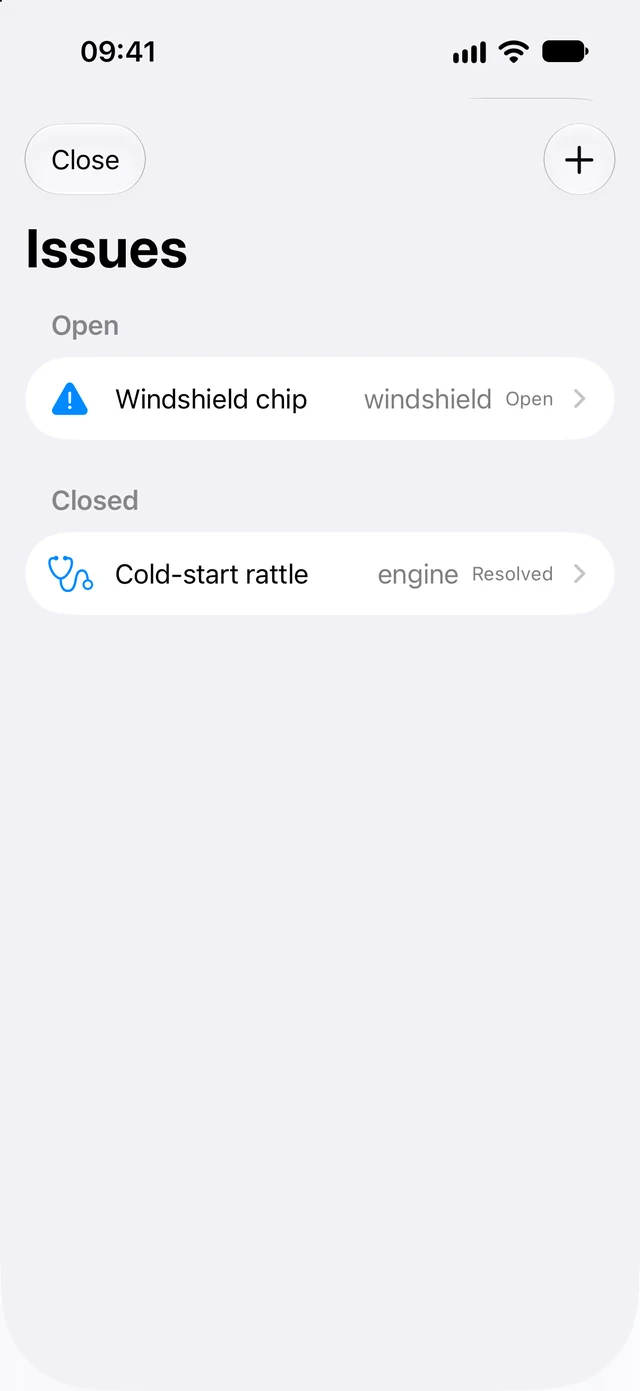
Save text, photos, and manual entries on your device. With Odomera open, entries can be created when a connection and parsing quota are available. Review them before saving.
Saved journal data can sync through iCloud across your Apple devices. Pick up with the car history you've already kept.
Good to know
Service, fuel, repairs, expenses, mileage, issues, and expiry dates. Attach photos to keep receipts and other details with your notes.
No. You can add entries yourself or save a note with photos only. Creating entries from text uses your monthly parsing quota; photos aren't sent for AI analysis.
Yes. Save a note for later on your device. Odomera can create entries when the app is open and a connection and quota are available. You'll review the result before it affects your journal.
Yes. Keep each vehicle's history separate. Additional vehicles are available with Odomera Pro.
No. Start with the free features. Optional Pro features, including expiry reminders and additional vehicles, are explained in the app. The screenshots on this page show Pro enabled.
Every car has a story
A little note today. A useful history tomorrow.
Download on the App Store